Scrolling Text and Images

Steps
In the theme editor ( Customize ), click Add section
Locate Scrolling Text and Images
Save
Section settings#
General settings#
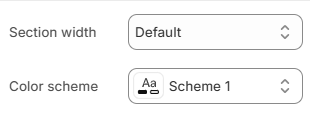
| Setting | Description |
|---|---|
Section width | 4 options for container
|
Color scheme | Select colors from Theme settings -> Colors |
Scrolling settings#
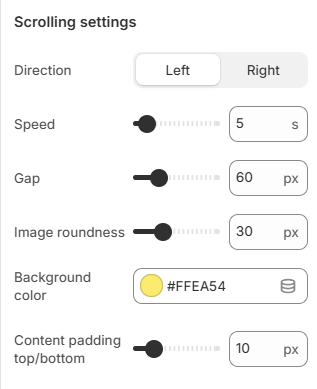
| Setting | Description |
|---|---|
Direction | Choose the scrolling direction of the content (left or right). |
Speed | Adjust how fast the content scrolls (in seconds). |
Gap | Set the spacing between items (px). |
Image roundness | Control the corner radius of images (px). |
Background color | Set the background color of the section. |
Content padding top/bottom | Adjust the top and bottom spacing inside the section (px). |
Reflection settings#
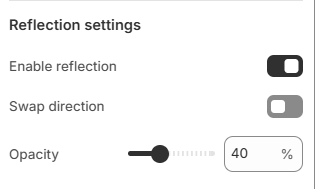
| Setting | Description |
|---|---|
Enable reflection | Turn on/off the reflection effect for the content. |
Swap direction | Reverse the direction of the reflection. |
Opacity | Adjust the transparency level of the reflection (%). |
Section padding#
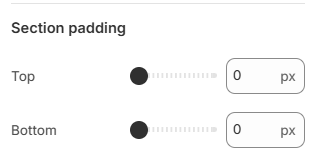
| Setting | Description |
|---|---|
Top | Customize the top margin of the section |
Bottom | Customize the bottom margin of the section |
Last updated 2 months ago