Edit product page
By default, you can customize using the Default product template. You can also add a new template directly to the admin page instead of the default.
Steps
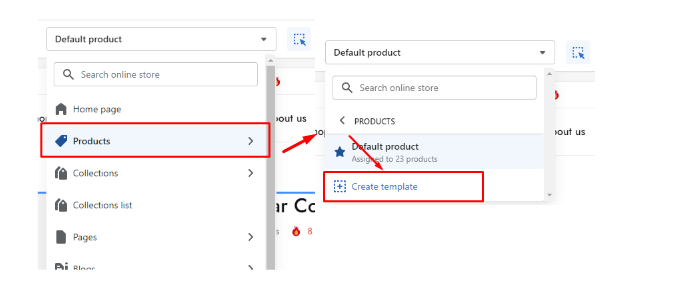
In the theme editor ( Customize ), use the page selector to open Product > Create template .
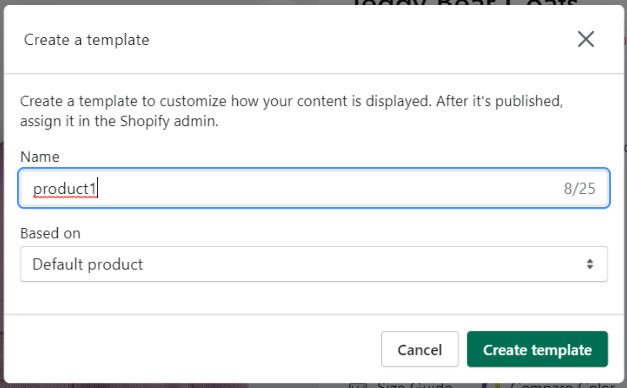
Add Name in the provided field for the new template.
Choose the suitable value in the Based on dropdown, then select Create template .
Product > Create template .#
Add Name#
Last updated 9 months ago