Create required pages
1. How to create a new page?#
Before using Vireo theme, you need to import some default pages by the following steps:
Step 1 : Login to your Shopify store, go to Online Store
Step 2: Go to Pages
Step 3 : Click to Add page and create below pages:
Contact
Wishlist
Compare
Terms & Conditions
Size guide
Privacy policy
Our stores
FAQs
About us
Recently viewed products
Sales
Store location
2. Create a new page with demo content#
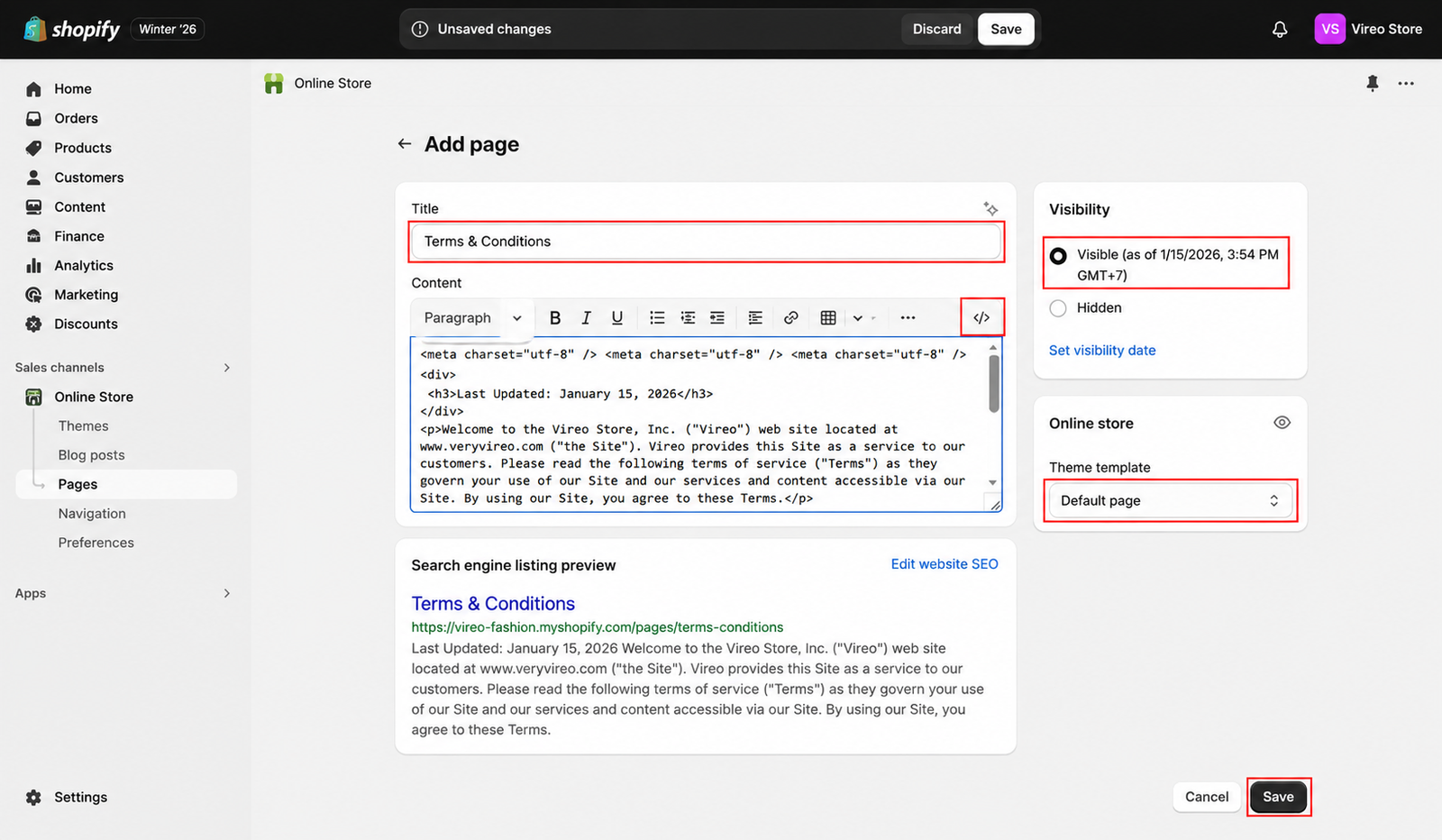
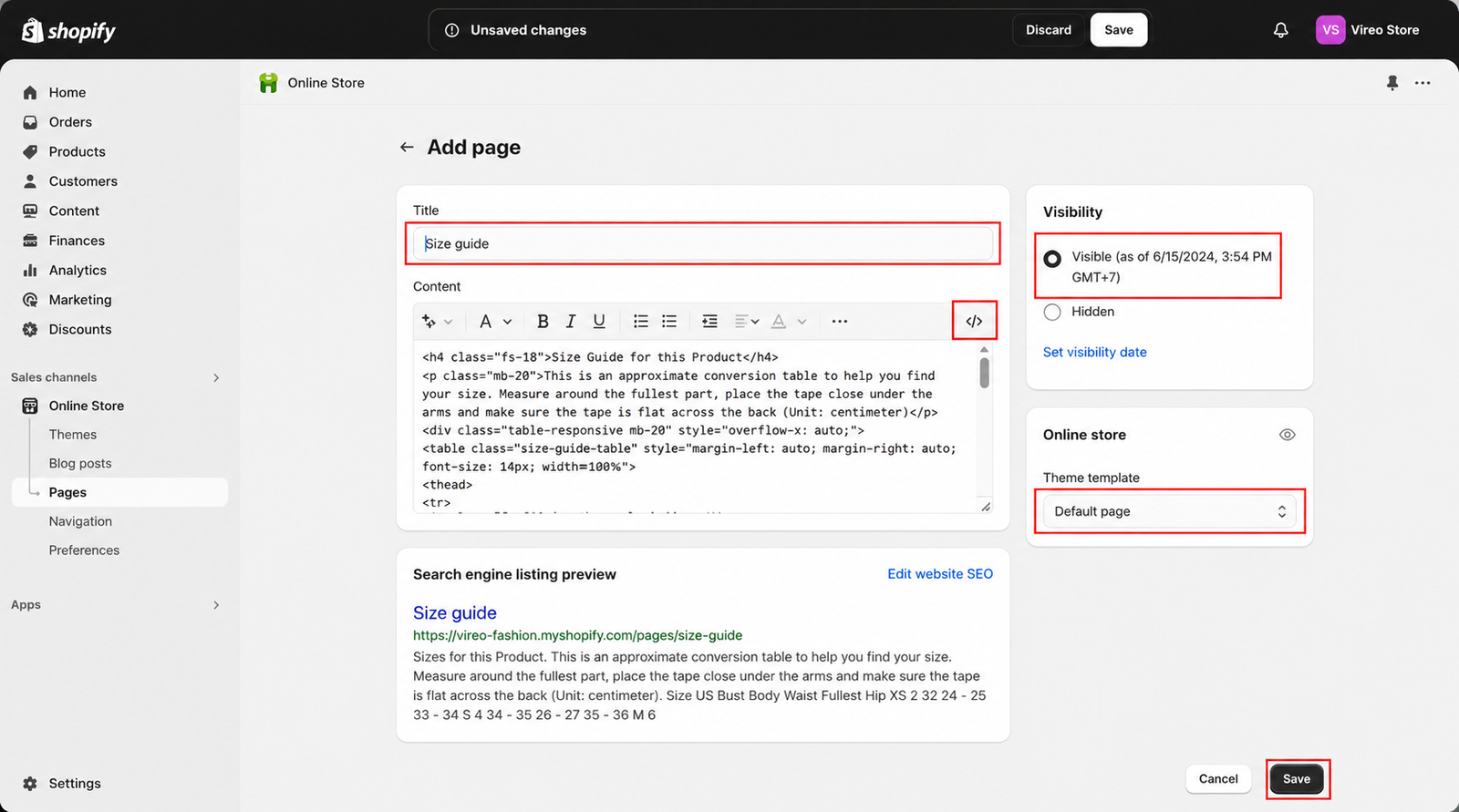
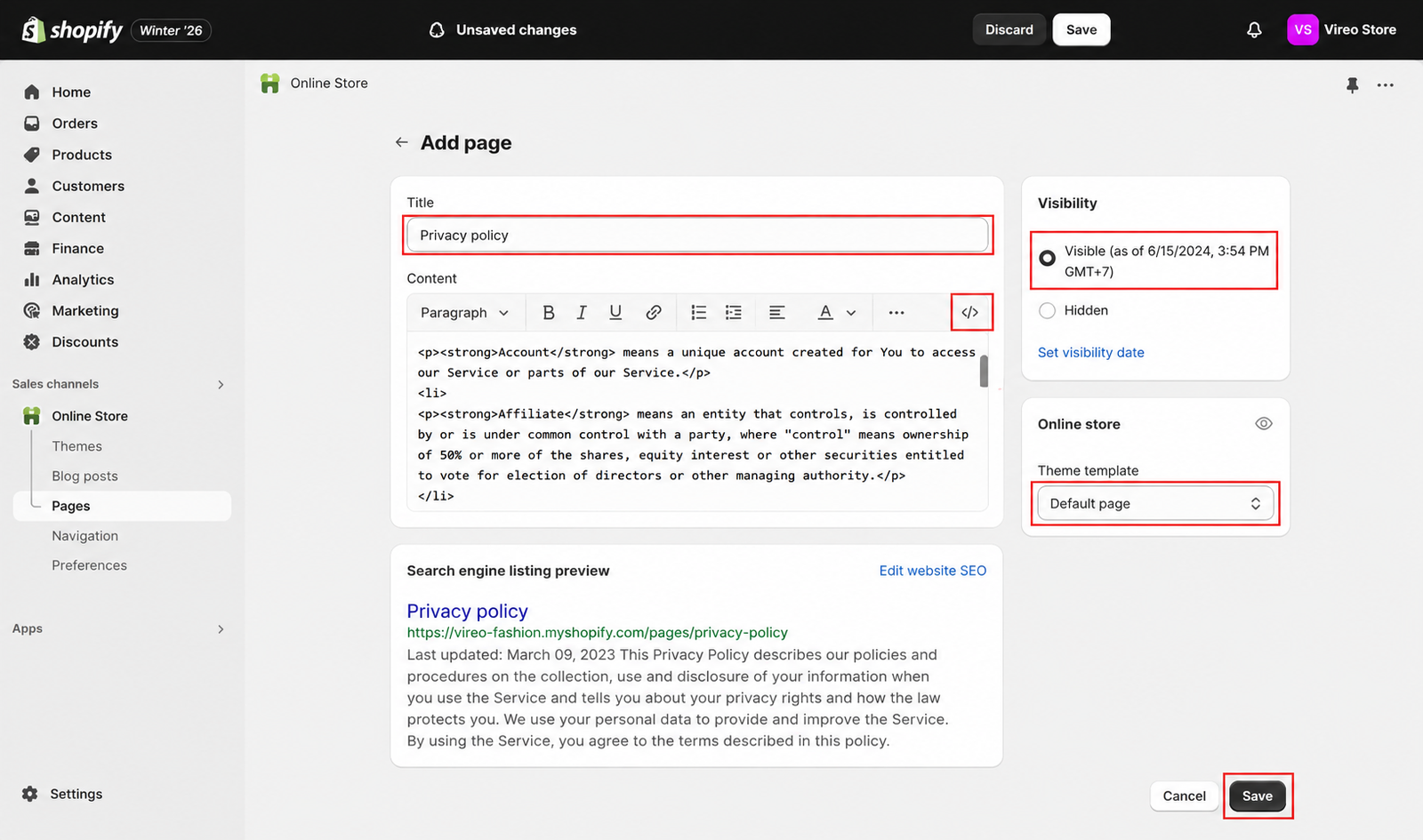
There are 3 pages that have sample content. To see demo content, please follow these guidelines below.
Terms & Conditions#
Size guide#
Privacy policy#
3. Create a new page without demo content#
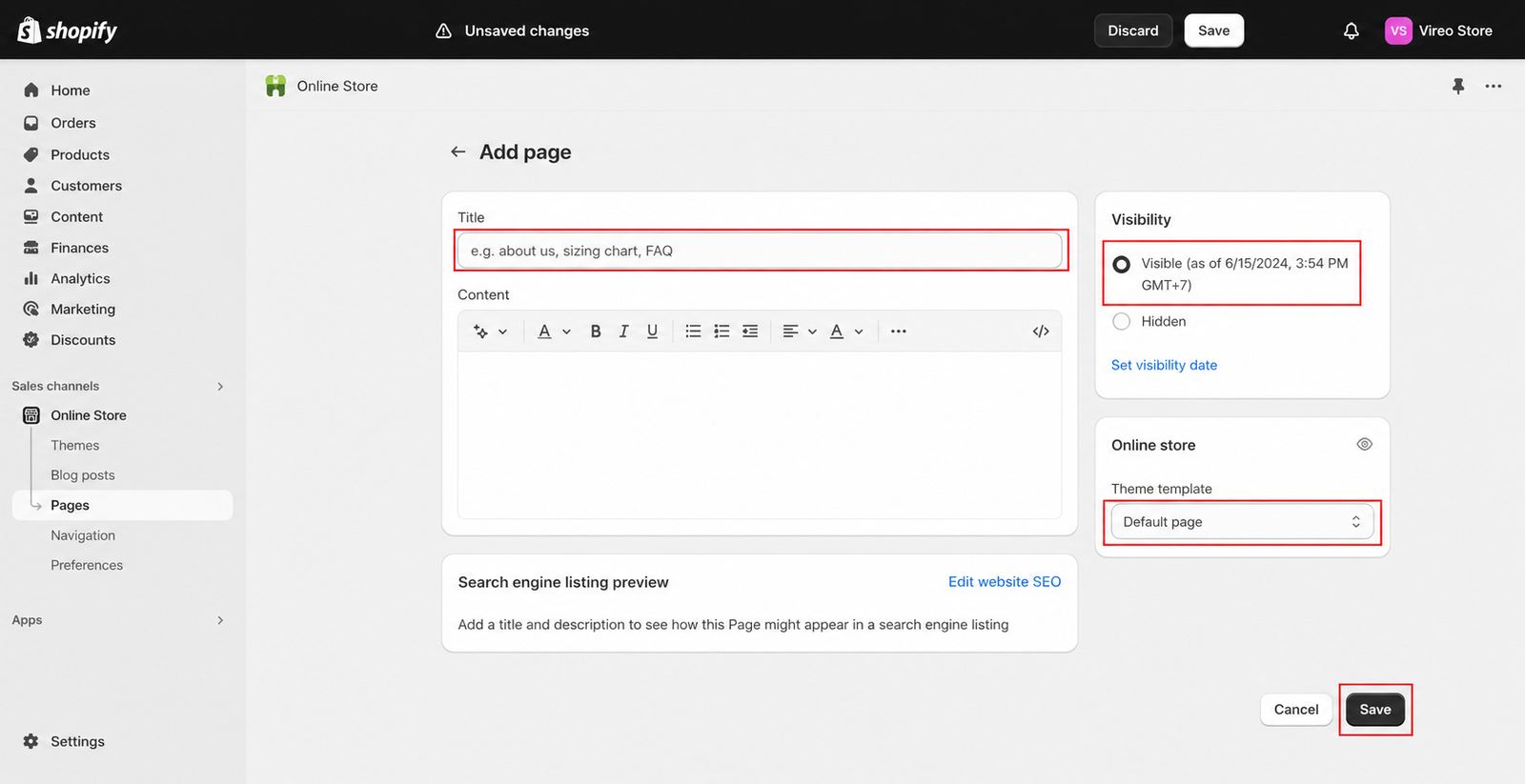
Step 1 : From Admin , go to Online Store
Step 2: Go to Pages
Step 3 : Click to Add page and adjust the details to create the pages you need
Contact#
Title : Contact
Visibility : Visible
Theme template : contact
Wishlist#
Title : Wishlist
Visibility : Visible
Theme template : wishlist
Compare#
Title : Compare
Visibility : Visible
Theme template : compare
FAQs#
Title : FAQs
Visibility : Visible
Theme template : faqs
About us#
Title : About us
Visibility : Visible
Theme template : about
Our stores#
Title : Our Stores
Visibility : Visible
Theme template : our-store
Recently viewed products#
Title : Recently Viewed Products
Visibility : Visible
Theme template : recently-viewed-products
Sales#
Title : Sales
Visibility : Visible
Theme template : sale
Store location#
Title : Store location
Visibility : Visible
Theme template : store-location
Last updated 1 year ago