How to translate "Buy now" button?
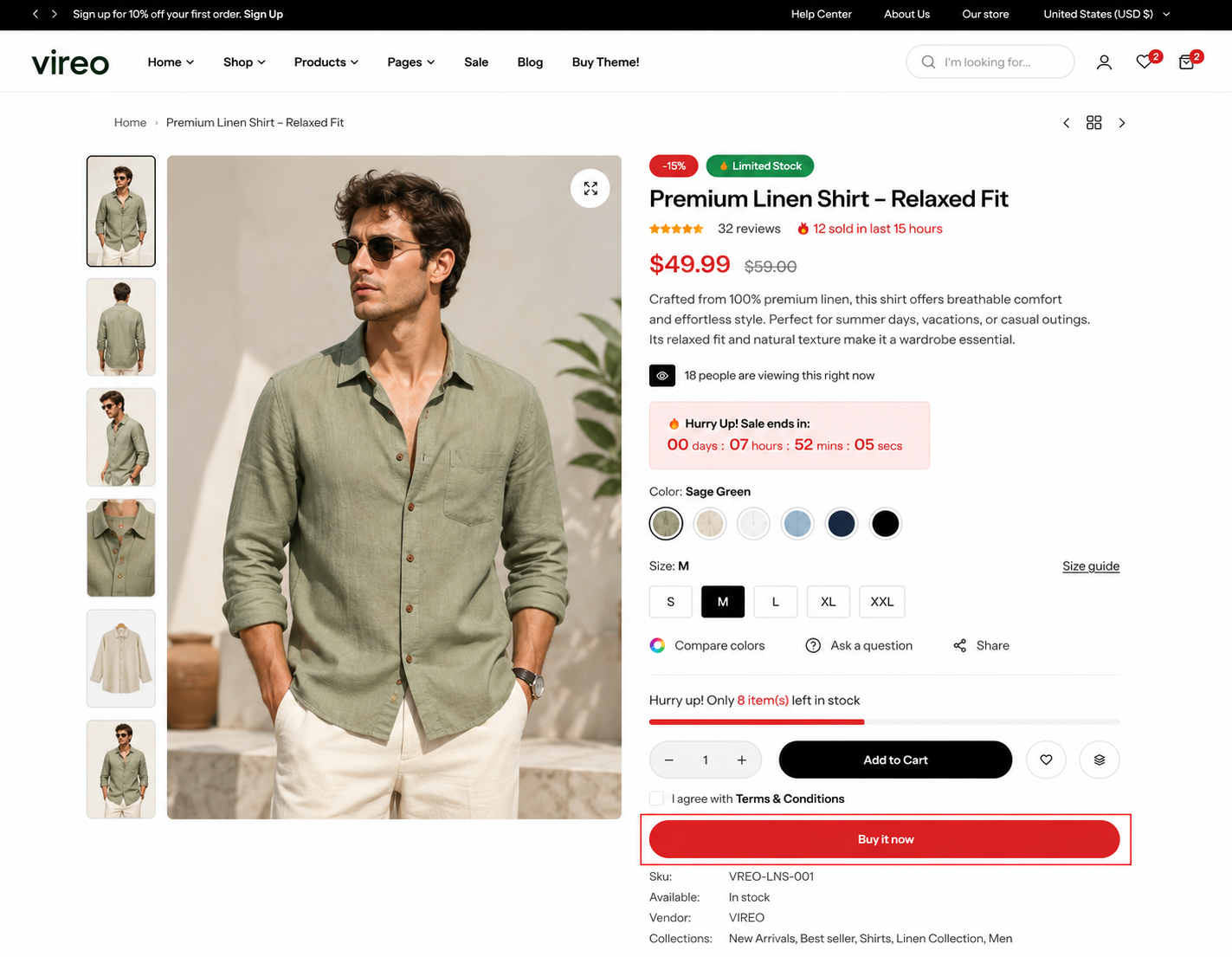
The one way to translate Buy it now button is change your store default language, please follow these steps:
Step
From your admin, click to Settings => Languages
Change the default language of your store
Click Save and you can see the result
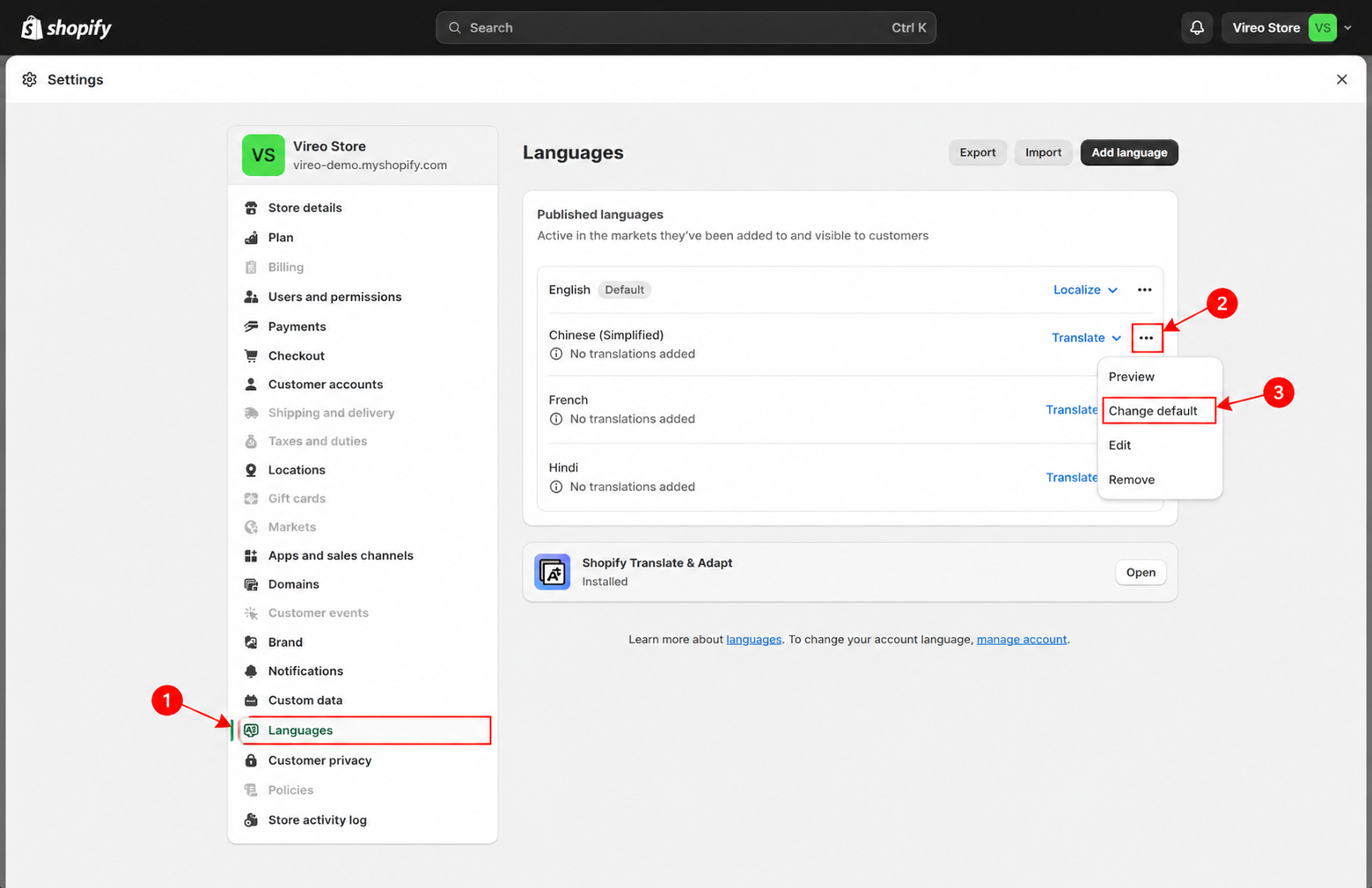
Once you've completed the setup, the " Buy it now " button will be translated into your chosen language, ensuring that your site communicates effectively with your target audience in their native language, enhancing the shopping experience.
Last updated 1 year ago