Setup External/Affiliate product
External / Affiliate products are not as commonly used as other types of products in Shopify. However, the Vireo theme supports this special type of product. You may want to redirect customers to other sites that sell the products, and you will need to create external / affiliate products for this purpose. To set up External/Affiliate products, please follow these steps:
Step 1: Create metafields
Login to your Shopify store, click to Settings
Click to Custom data -> Metaobjects and Click Add definition
Add metaobject definition with 2 fields as bellow:
Name: External/Affiliate
Field 1:
Type: URL
Name: External Link
Field 2:
Type: Single line text
Name: Button Text
Click Save
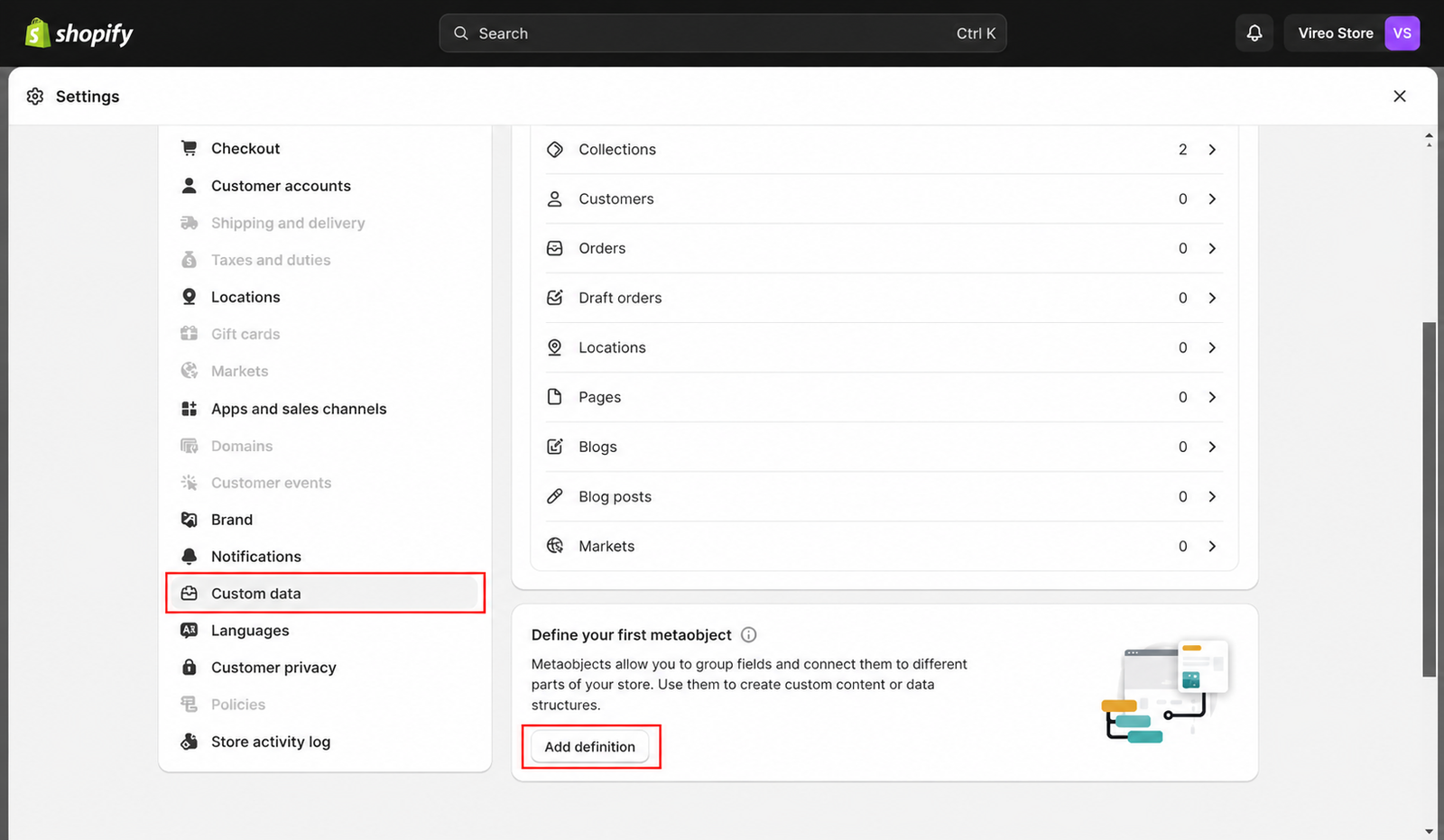
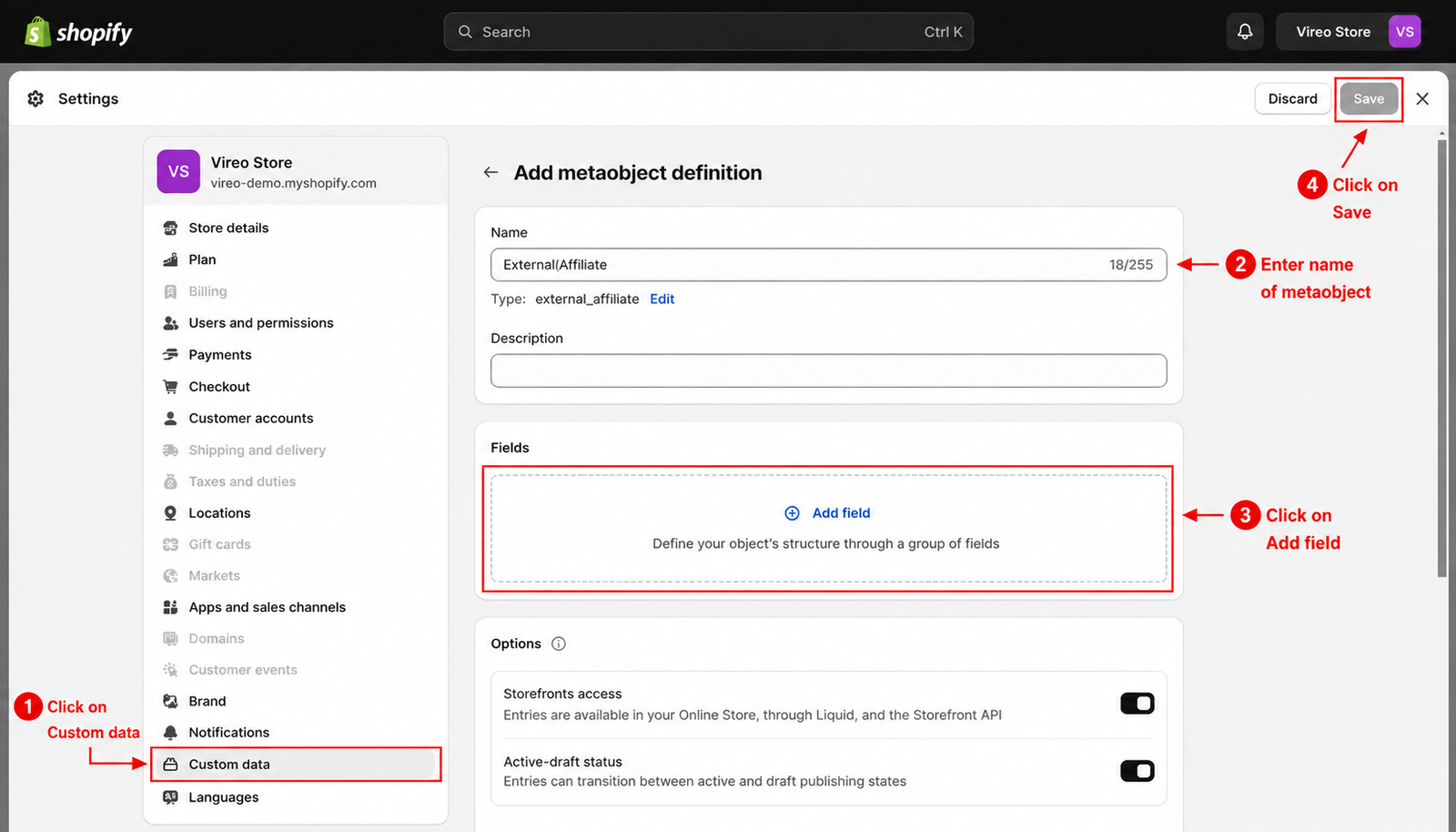
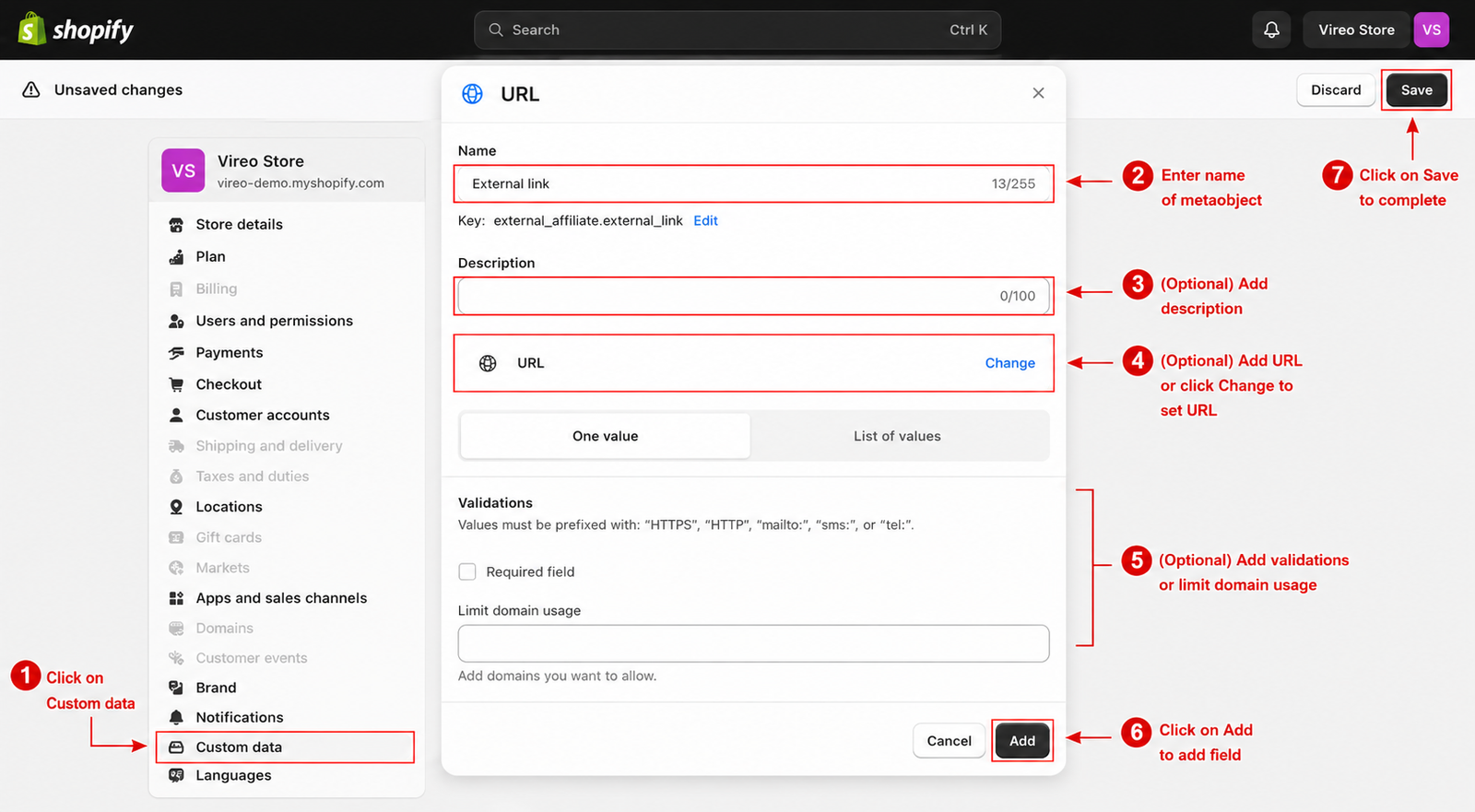
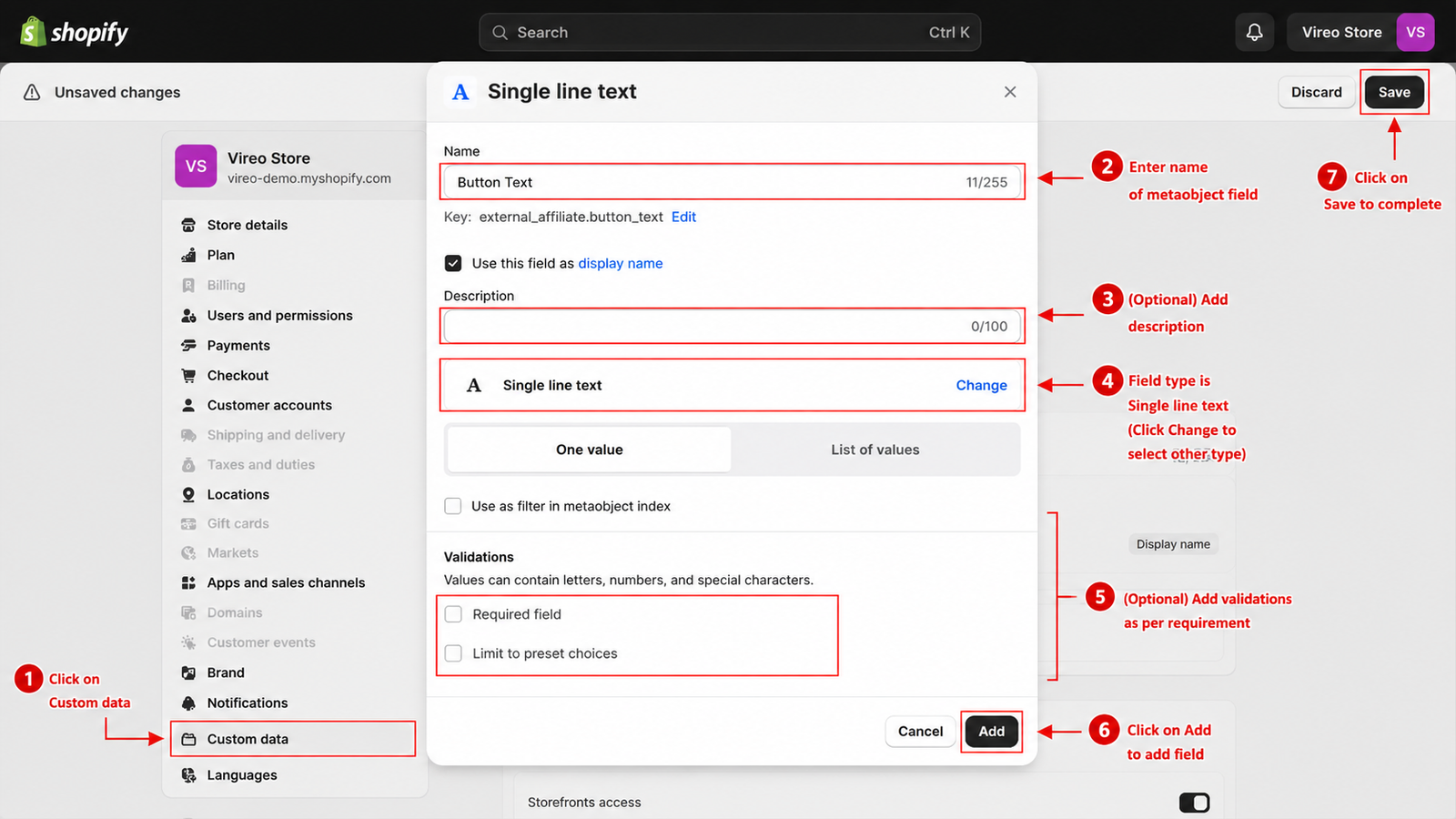
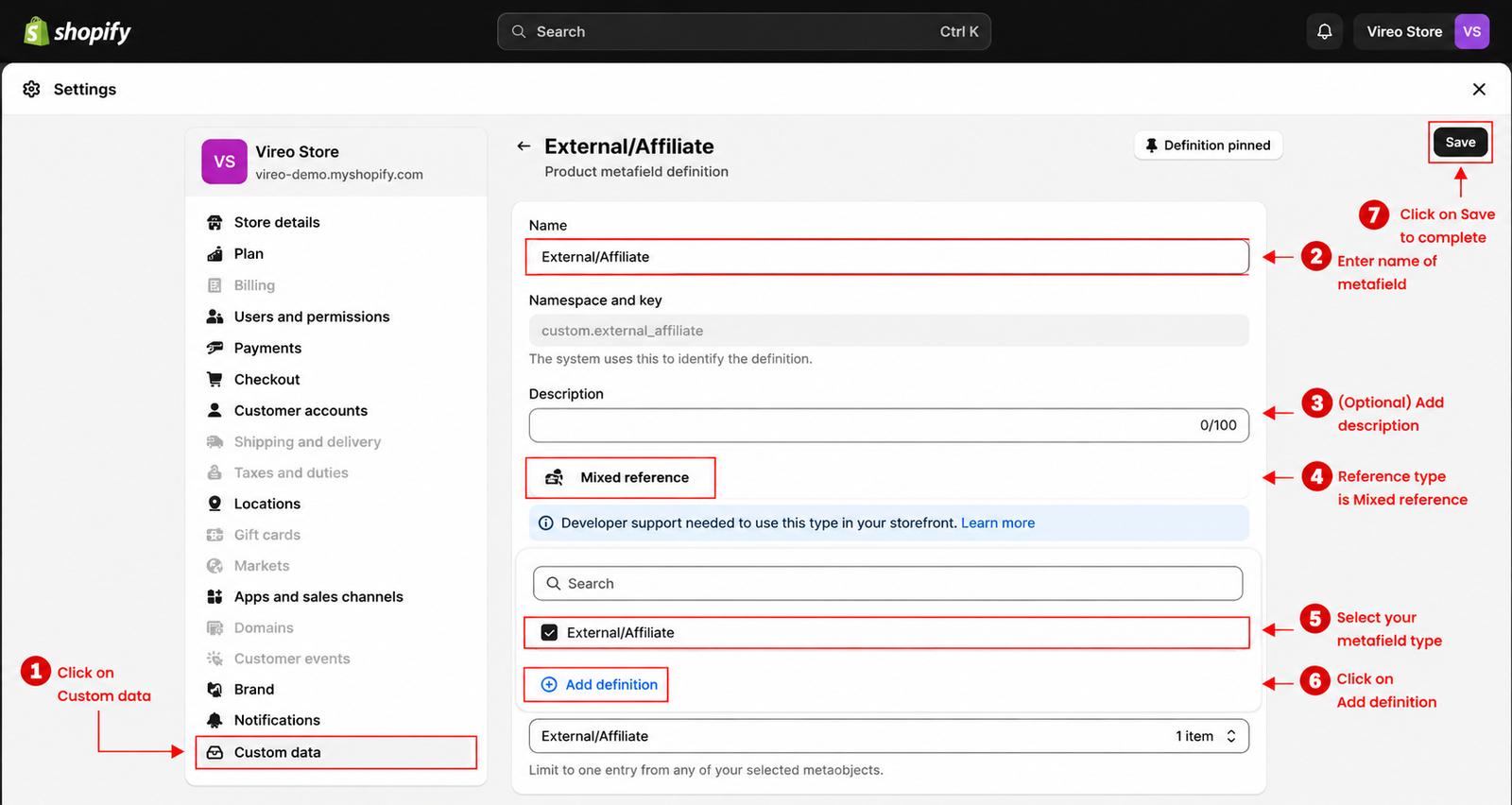
Back to Custom data -> Metafields -> Products
Add a metafield as bellow:
Name: External/Affiliate
Type: Mixed reference
Validation: External/Affiliate
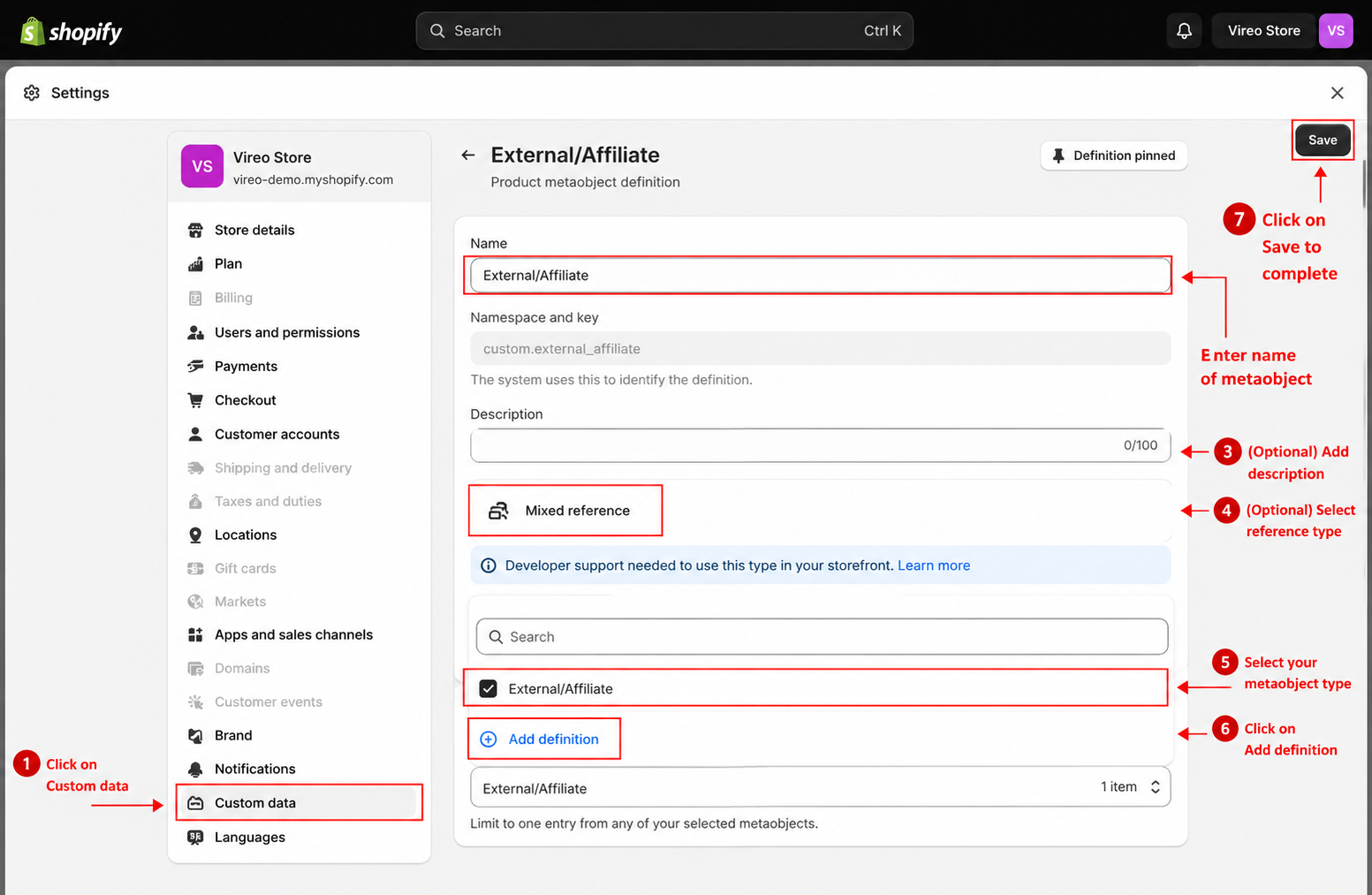
Close Setting and setup metafield for a product.
Step 2: Setup product
From your admin, go to Products and select the products to setup
Scroll down to Metafields and click to External/Affiliate
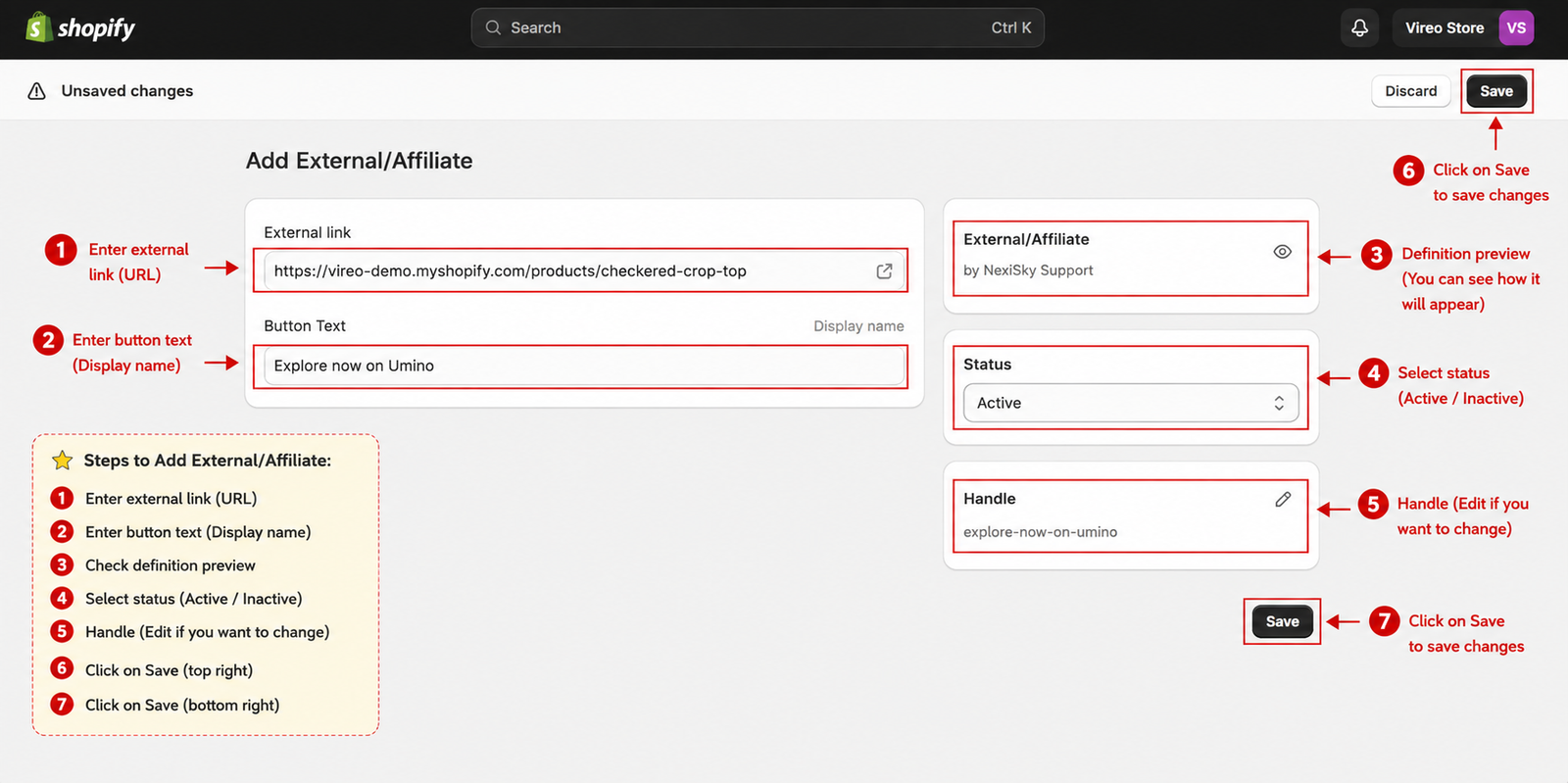
Click to Select entry and Create new entry
Add link of product to External Link and Add the text of the button in Button Text
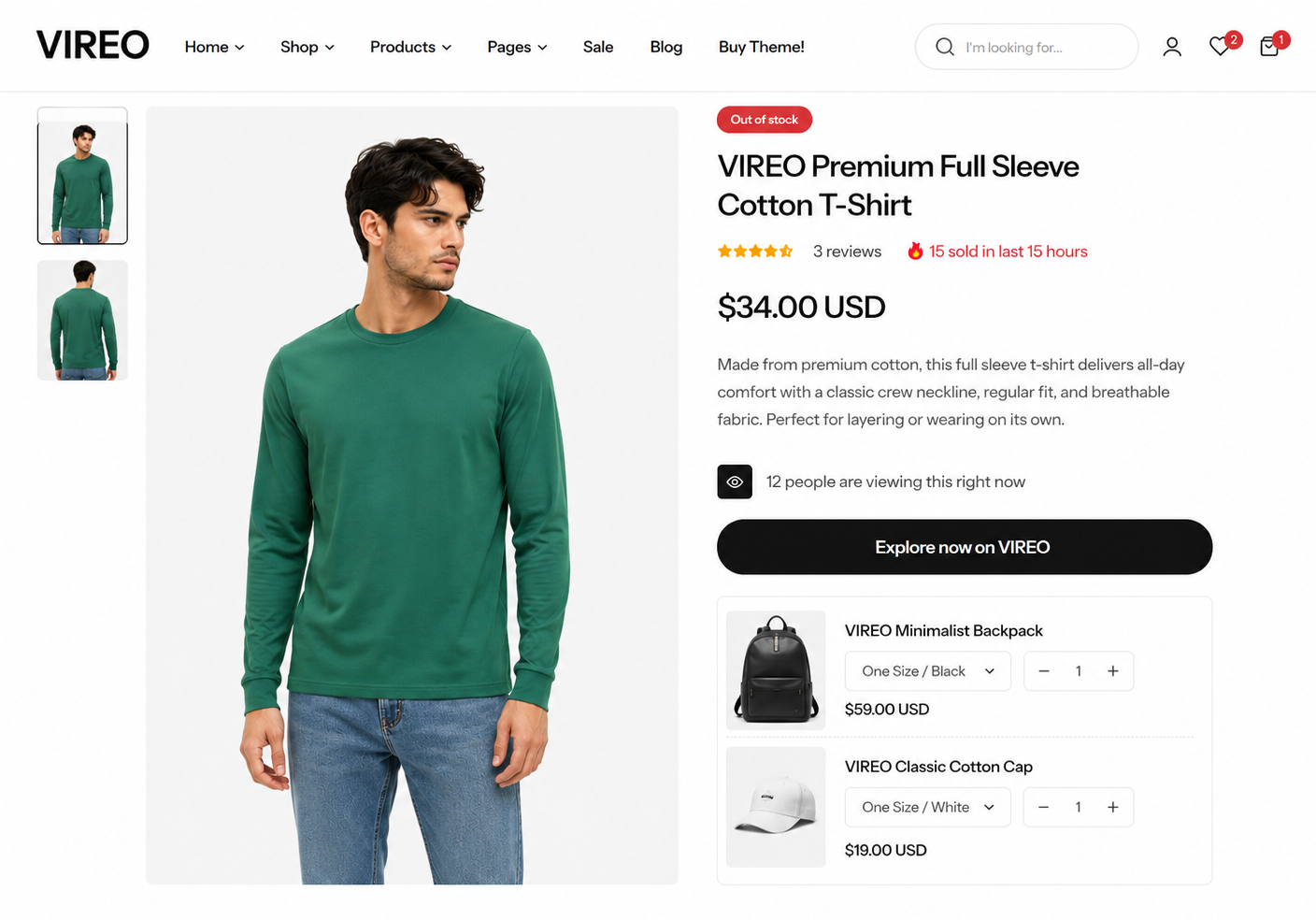
Click Save, Preview this product and you can see the result
Last updated 1 year ago